
 TraxStaff — TrackerLive demo
- Client onboarding2h 15m
- Support queue1h 40m
- Weekly report47m
Time tracking your
team can actually see
A visible, always-on indicator the whole time it runs — tamper-evident, never self-reported.A visible, always-on indicator the whole time it runs. Every session hash-chained and capped against the server’s clock — tamper-evident, never self-reported.
One tracker, every machine your team works on
Everything you need,
nothing you can’t see
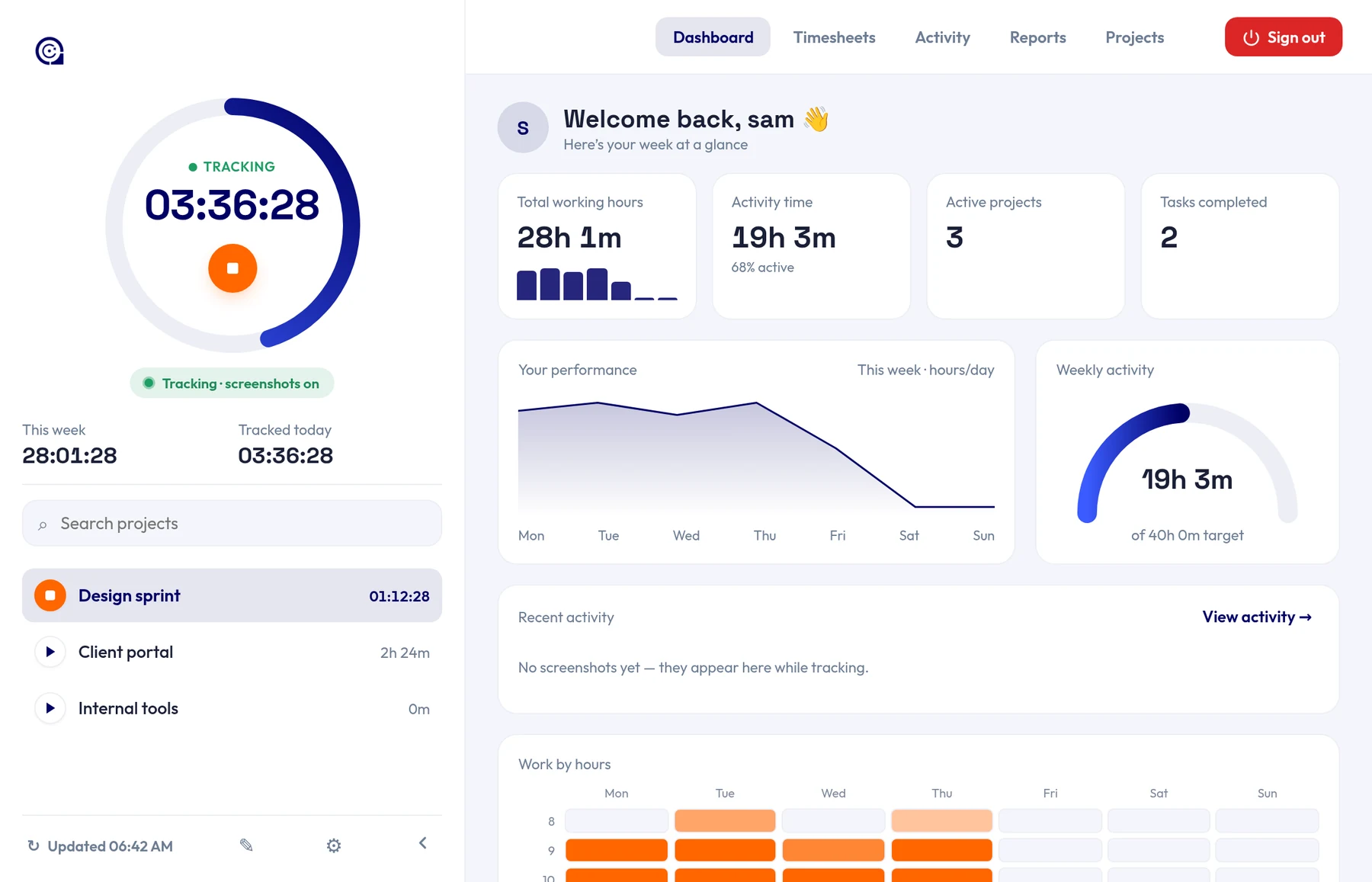
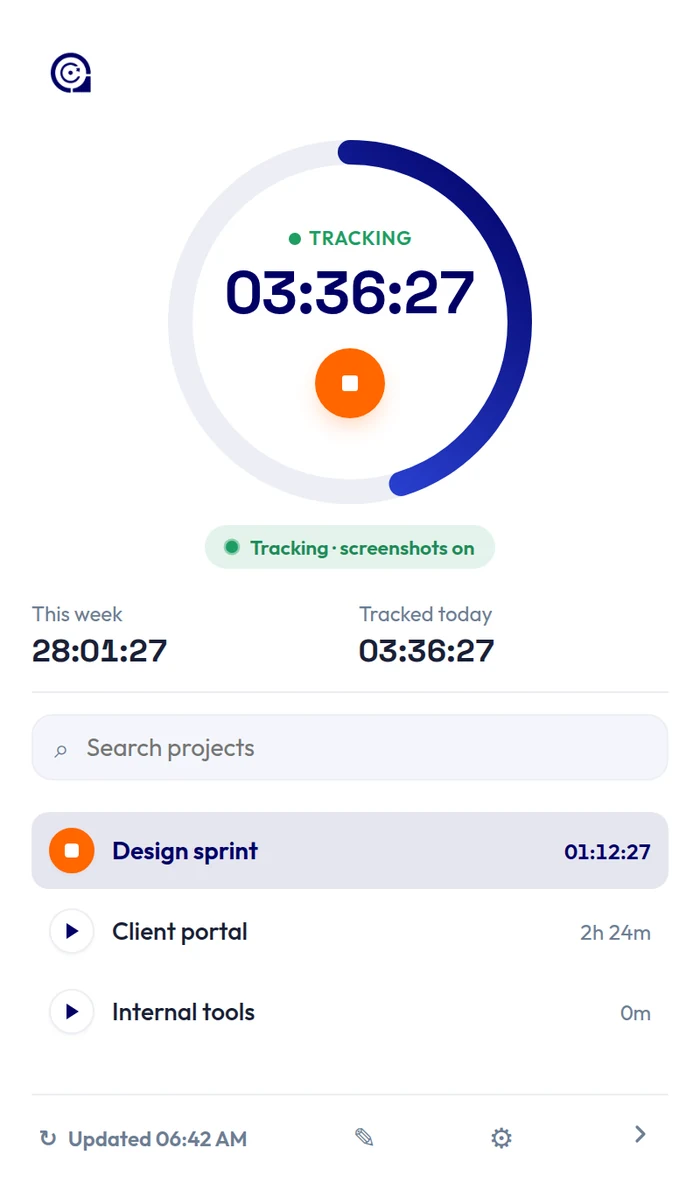
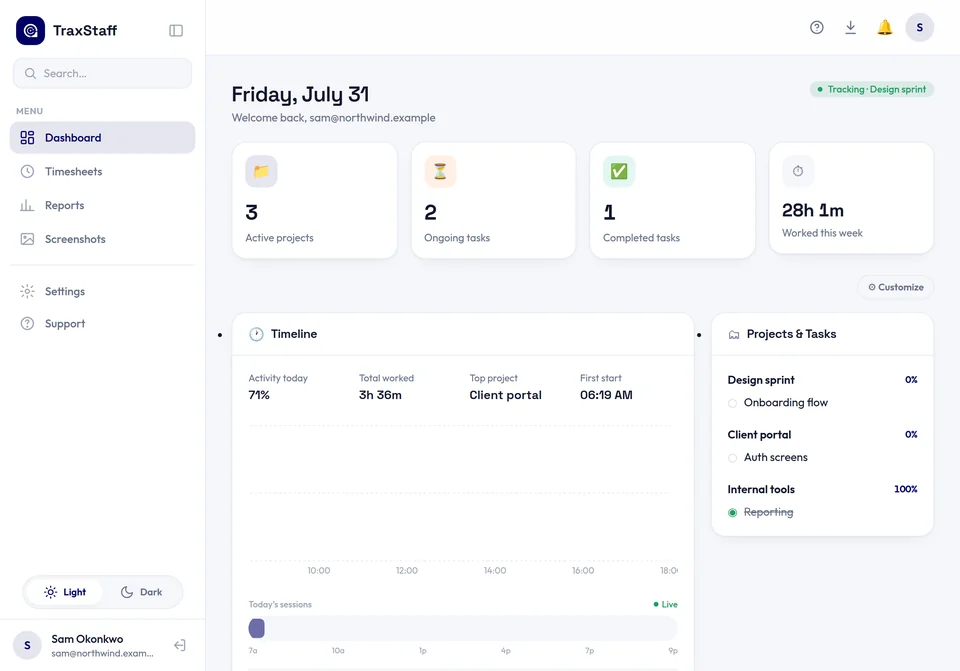
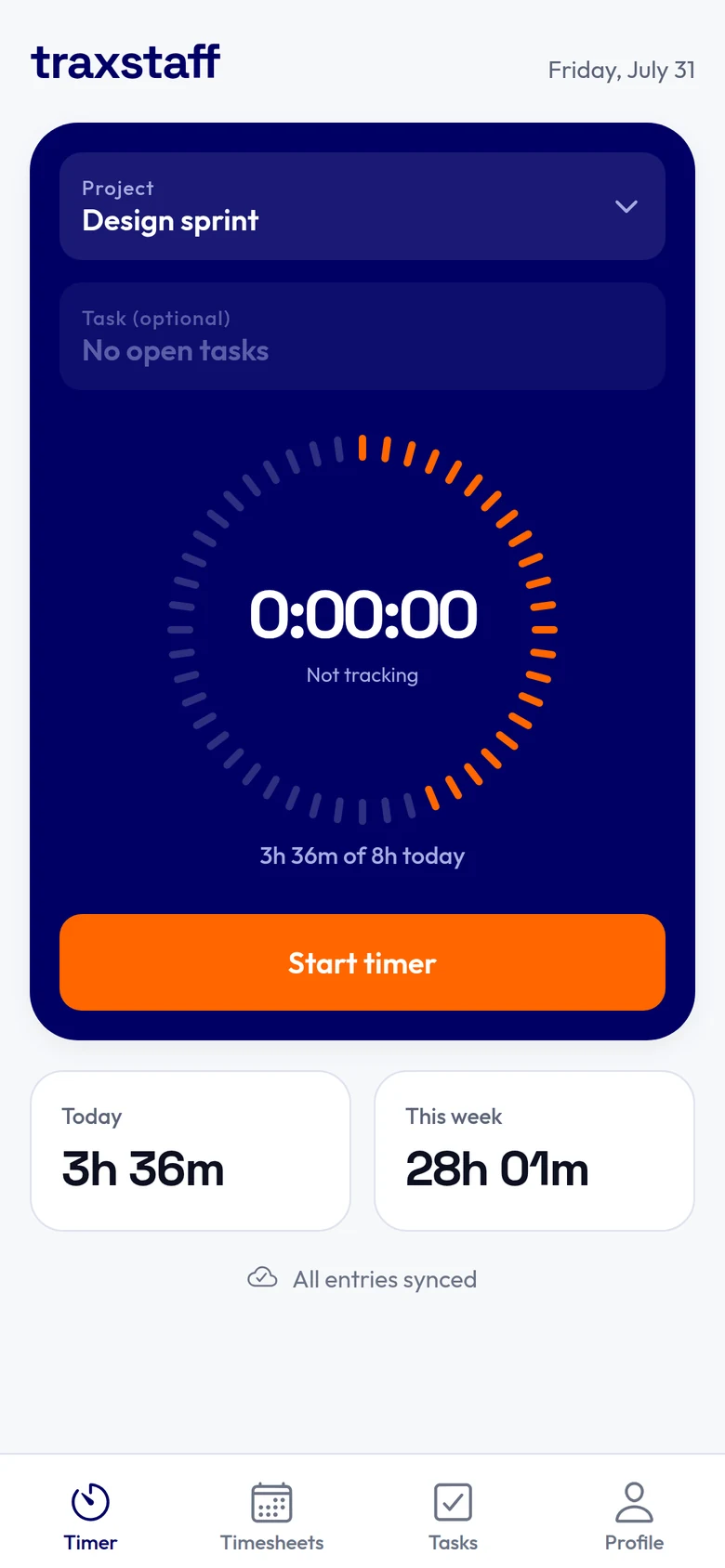
Every screen below is the real app — TraxStaff collects what it takes to account for time honestly, never what you type, never full URLs, always visibly.
Every hour, accounted for
Time is tracked against a project and a task as it runs. Timesheets come out organised by day, week and project, with manual entries marked as manual — ready to review, approve or export.
Explore the dashboard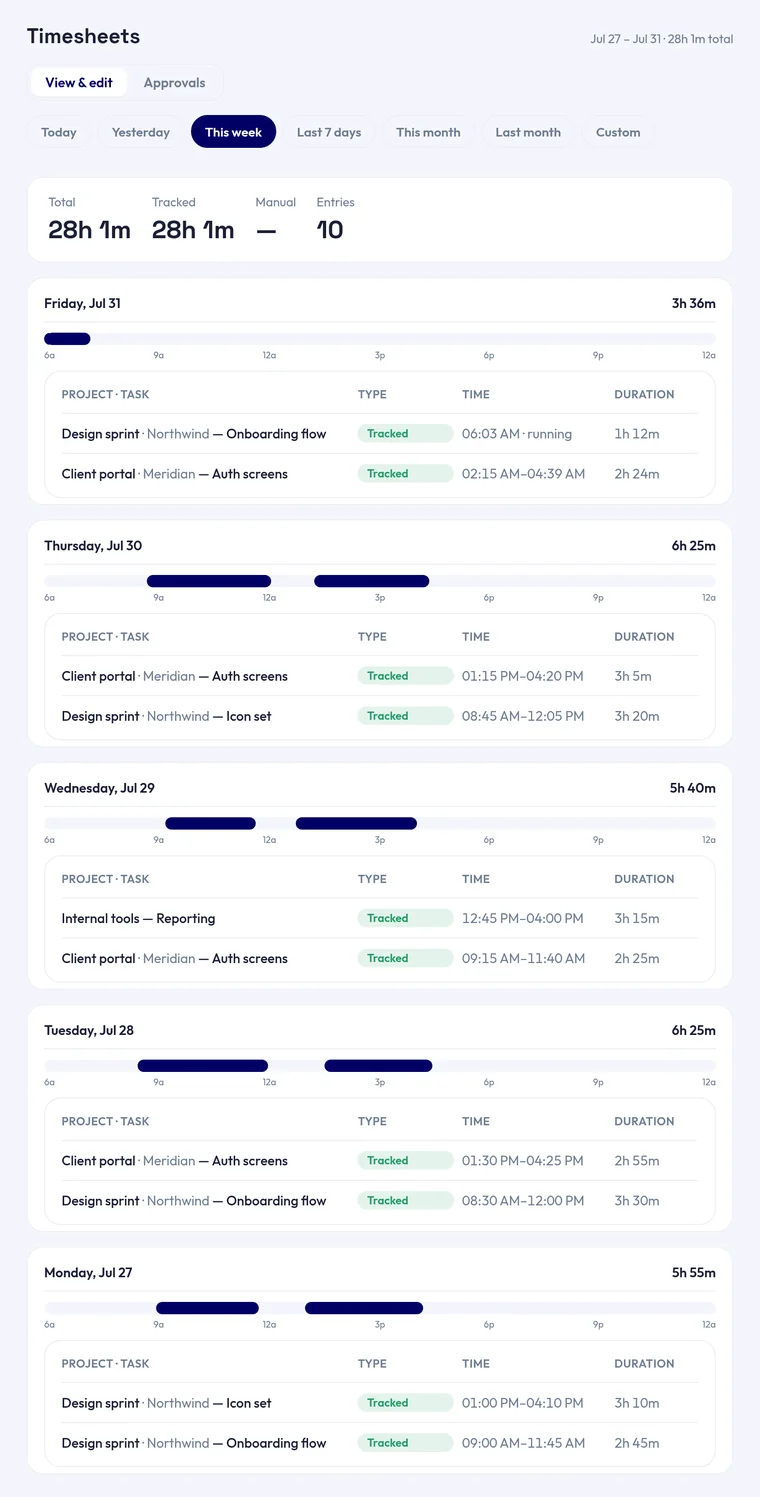
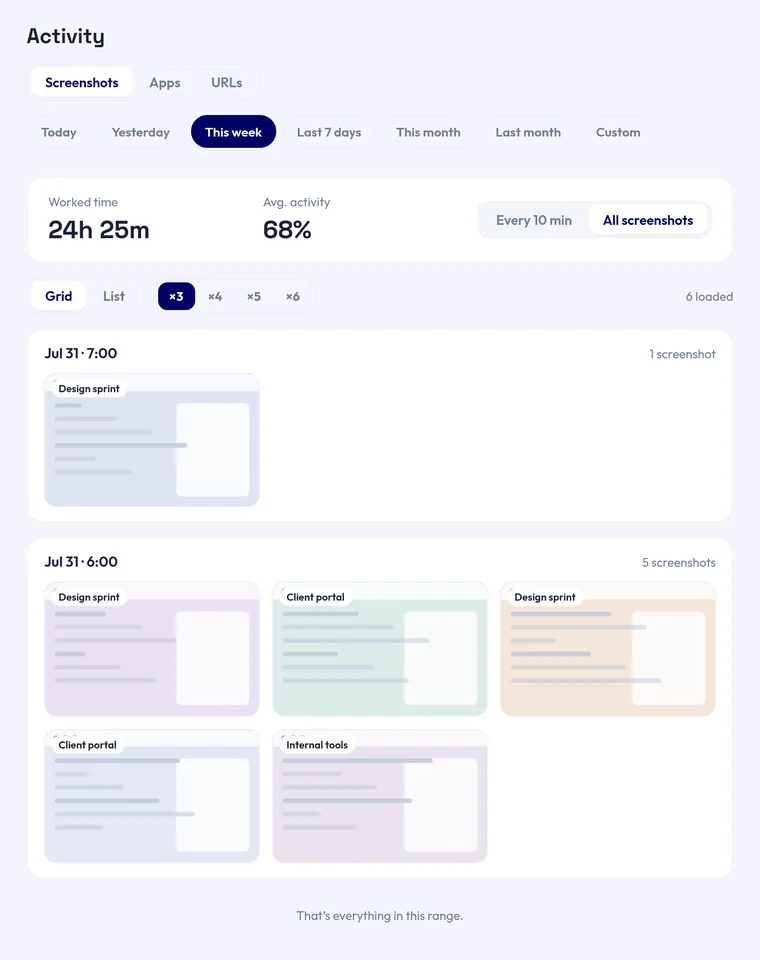
Screenshots, not secrets
Periodic captures at a frequency your org sets, optionally blurred. The person tracked sees their own captures in the same gallery their admin does — nothing is hidden from them.
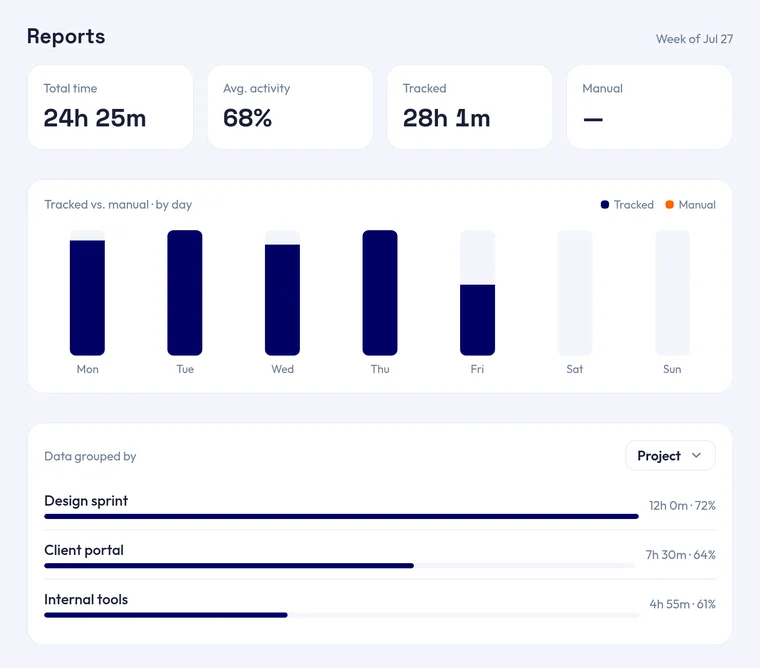
Reports that hold up
Totals, tracked-versus-manual by day, and a breakdown by project or task over any date range — built on records that can be checked rather than taken on trust.
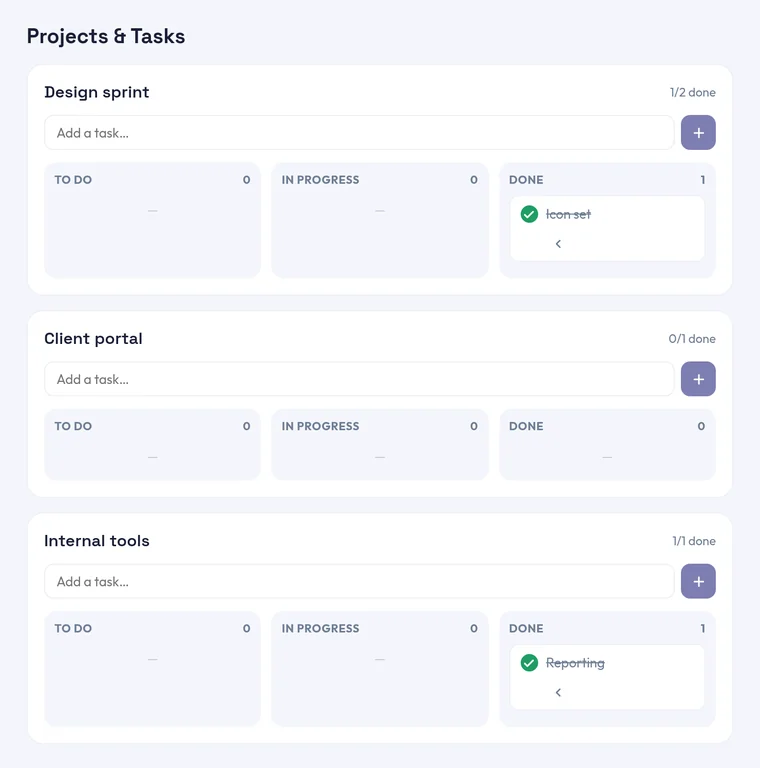
Work organised into projects
Every project gets a board. Tracked time attaches to a task, so the hours tie back to the thing they were spent on rather than sitting in an undifferentiated pile.
Roles
Owner, admin and member tiers. Staff see their own data; org-wide views are an explicit opt-in, and admin-only.
Insights
Trends across people, projects and categories over any range — not a single day's snapshot.
Set it up in minutes. Visible from the first second.
Words from teams who
stopped fighting the timer.
We switched because the team could finally see when it was running. The pushback disappeared inside a week.
Priya RaghunathanHead of Operations, Northwind LogisticsThe server-side cap ended an argument we'd been having for months about whose clock was right.
Daniel OkaforEngineering Manager, Cascade SystemsContractors bill against the same records we review. No more reconciling two different spreadsheets.
Marta LindqvistFinance Lead, Alderman StudioBlurred screenshots were the compromise that got this past our works council.
Tomás HerreraPeople Operations, Vela Health
Admins seeing only their own data by default was the detail that sold our security team.
Aisha BelloIT Director, Kestrel FinancialSetup took an afternoon, and the Linux build actually works. I did not expect that.
Jonas WeberCTO, Halden SoftwareStaff can pull up their own captures. That one thing changed how people felt about being tracked.
Grace MwangiSupport Lead, Umoja GroupWe needed something auditable, not something invisible. This was the only tool honest about the difference.
Ryan DelacroixCOO, Pinewood Partners
Hover or tap to pause
Tamper-evident by design,
not tamper-proof by claim
Four layers stand between a tracked hour and a number you can trust. Here is exactly where each one lives — and where the last one stops.
Changing the clock changes nothing
The app doesn't read the date and time on the computer. It uses a separate counter that only ever moves forward, so nudging the clock ahead an hour doesn't add an hour to anyone's day.
Checked against a clock we hold
However many hours a device sends in, we measure them against our own clock — one the tracked machine can't read or change. Nobody can log more time than has actually passed.
Every session is sealed to the last
Sessions are linked together like a chain, so altering an old one visibly breaks it. Anything that looks off gets flagged for a person to look at — never quietly deleted.
The strongest safeguard isn't software
If someone can install anything they like on their own machine, no tracker on earth is unbeatable — ours included. The best protection is a policy one: don't hand out admin rights on the computers you track.
What’s recorded,
and what never is
The same disclosure every staff member reads and accepts before tracking can start. Not a summary of it — the list itself.
Recorded, while the timer runs
- ScreenshotsOf all your monitors, at the frequency your org sets — and blurred if your org turns that on.
- Activity levelHow often the keyboard and mouse are used. Timing and intensity only.
- Apps and sitesThe names of the apps you use and the domains of the sites you visit while tracking.
- DeviceAn identifier, so tracked time is attributed to the right machine.
Never recorded, at any setting
- What you typeKeystrokes are never captured — only that input happened, never its content.
- Full URLsThe domain of a site, never the page, the path or the query string.
- Anything after you stopCapture ends the moment you stop the timer or quit the app. There is no background mode.
- Your phone's screenMobile has no screen capture, no activity percentage and no location. That's a boundary, not a gap.
Positions we’ll put
in writing
Not marketing lines. Each one is checkable against the product or the code that runs it.
- Never covert
A visible indicator stays on screen the whole time tracking runs, on every client. Consent is explicit and recorded against a version.
Accepted before capture can start - Tamper-evident, not tamper-proof
On a machine where someone has local admin, nothing client-side is unbeatable. We don't claim otherwise.
Where the guarantee stops is written down - Self-only by default
Dashboard, timesheets, reports and screenshots all default an owner or admin to their own data — the same view a member gets.
Org-wide visibility is an explicit opt-in - Mobile captures nothing
No screen capture, no activity percentage and no location on phones. That's a product boundary, not a missing feature.
The same on Android and iOS - Flags, never silent deletions
Clock-skew and anomaly signals are recorded for a human to review. They are never used to quietly drop someone's tracked time.
Recorded for review, never auto-applied - Consent is versioned
Capture is unreachable until the current disclosure is accepted. Change what gets collected and everyone has to accept it again.
Enforced in the client, not just promised
Hover or tap to pause
Put it on your machine
Real builds from the latest release — the same one the dashboard’s own download button uses.